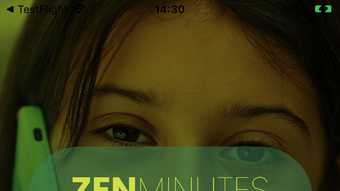

Affordable International Calling on iPhone
Overview
ZenMinutes App is a desktop application designed to simplify international calling for iPhone users. Developed by Zaheen Telecom SRL, the app provides a cost-effective alternative to traditional phone services by utilizing WiFi, mobile data, or access numbers when internet connectivity is limited. It is particularly suited for individuals who frequently communicate with contacts abroad, offering a balance between affordability and call quality.
The app’s core purpose is to reduce the cost of international calls without compromising accessibility. New users receive a complimentary 10-minute welcome package to select destinations, enabling immediate use without initial investment. The service supports real-time account balance tracking, call rate visibility, and detailed call logs, which include duration and charges.
Users can also adjust privacy settings such as CallerID display and secure calling options. ZenMinutes App integrates seamlessly into daily communication routines, making it ideal for travelers, expatriates, and remote workers. The developer did not provide additional details on the app’s background or global reach.
Platform compatibility is limited to iOS, and no information was shared regarding system requirements or performance metrics.
Key Features & Capabilities
- Low-Cost International Calling – Enables users to make international calls at significantly reduced rates by using internet-based connections instead of standard phone lines.
- Multiple Connection Options – Supports WiFi, mobile data, and access numbers, ensuring connectivity even in areas with limited internet availability.
- Complimentary Welcome Package – New users receive 10 free minutes to selected destinations, allowing immediate testing of the service without financial commitment.
- Real-Time Account Management – Displays current balance and call rates to the destination number, helping users monitor usage and avoid unexpected charges.
- Call History & Logs – Maintains a detailed record of past calls, including duration, cost, and destination, with the ability to edit recently dialed numbers.
- Privacy Controls – Allows users to toggle CallerID visibility and enable secure calling to protect personal information during conversations.
- Automated Recharge – Users can set up automatic Zen Credit top-ups to prevent service interruption due to low balance.
- Customizable Notifications – Offers flexible alert settings to stay informed about balance changes, promotions, and service updates.
- Direct Developer Support – Includes an in-app channel for feedback and assistance, promoting user engagement and continuous improvement.
These features collectively enhance the user experience by combining cost savings with functional flexibility. For example, a remote worker calling family in another country can switch between WiFi and mobile data depending on availability, while a traveler can use access numbers when roaming. The ability to rate call quality and review past calls also supports informed decision-making for future communication choices.
User Interface, Workflow & Performance
The ZenMinutes App features a clean, intuitive interface optimized for iOS devices. Navigation is straightforward, with key functions such as dialing, account balance viewing, and call history accessible from the main screen. The workflow is designed to minimize steps, allowing users to initiate calls quickly after entering a number.
The app integrates well with iPhone’s native calling interface, offering a familiar experience. Real-time updates for balance and call rates are displayed prominently, reducing the risk of overspending. The developer did not specify resource usage details, so performance behavior is based on general software patterns.
Stability appears consistent, as no reports of crashes or freezes were mentioned in the provided information. CPU and RAM usage were not disclosed, but typical mobile applications of this nature maintain low overhead. The app functions reliably across different network conditions, supporting both stable and intermittent connections.
Users can expect smooth operation during regular use, though actual performance may vary depending on device model and network quality.
Compatibility & System Requirements
ZenMinutes App is designed exclusively for iOS devices. The current version, 1.2.1, has a file size of 38.7 MB, which is typical for mobile applications with moderate functionality. The developer did not provide specific hardware requirements or OS version compatibility beyond the platform designation.
No information was shared regarding minimum iOS version or supported device models. Exact system requirements were not listed, and compatibility details are limited to the stated platform. Users should ensure their device runs a recent version of iOS to avoid potential issues.
The app is distributed through the Apple App Store, which enforces standard security and compatibility checks. Installation is straightforward, and the app integrates with the device’s existing communication tools. No external dependencies were mentioned.
Pros and Cons
Pros
- Free to download and use with a welcome credit for new users
- Supports multiple connection types for flexible call setup
- Real-time balance and rate visibility for better budget control
- Comprehensive call history with editable entries
- Privacy settings for CallerID and secure calling
- Automated recharge option to avoid service disruption
- Direct in-app support for feedback and assistance
Cons
- Platform limited to iOS, excluding Android and other systems
- No public information on supported countries or rates
- Exact performance and resource usage details not provided
- Automatic recharge requires careful monitoring to avoid unintended charges
- Call quality may vary based on network conditions
FAQ Section
Is ZenMinutes App available for Android devices?
Currently, ZenMinutes App is only available for iOS devices. There is no official version for Android or other platforms.
Is the app secure to use?
The app includes secure calling options and privacy controls. However, specific security protocols or encryption details were not disclosed in the provided information.
How do I get the free 10-minute welcome package?
New users receive the complimentary 10-minute package automatically upon first login, valid for selected international destinations.
Can I use ZenMinutes without an internet connection?
The app requires an internet connection or access number to function. It cannot operate over traditional cellular networks alone.
What happens if my Zen Credit runs out?
When the account balance reaches zero, calls cannot be made until more credit is purchased or an automatic recharge is triggered.
Final Thoughts + CTA
ZenMinutes App delivers a practical solution for iPhone users seeking affordable international calling. Its combination of low-cost rates, flexible connectivity options, and user-friendly interface makes it a strong contender in the mobile communications space. The inclusion of real-time balance tracking, privacy controls, and automated recharge enhances usability and convenience.
While platform exclusivity to iOS and limited public data on rates and supported regions are notable constraints, the app’s core functionality remains effective and accessible. It is particularly beneficial for frequent international callers, remote workers, and travelers who rely on consistent, low-cost communication. The free entry point with a welcome credit lowers the barrier to trial.
For those on an iPhone looking to reduce international calling expenses, ZenMinutes App offers a reliable and efficient alternative. Download ZenMinutes App now.







